 |
 |
 |
SMTP Authentication on Outlook Express |
 |
» Select Your Account » Select Properties 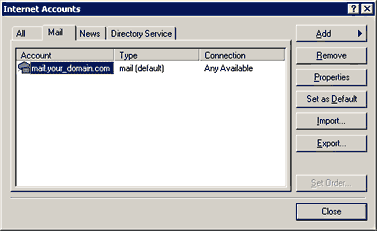 |
 |
» Select tab Servers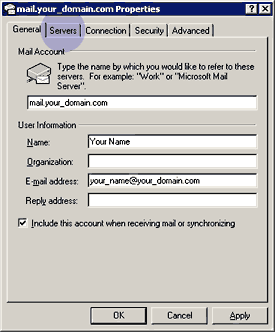 |
 |
» Check My server requires authentication » Select Settings... 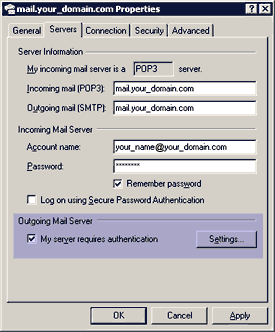 |
 |
» Select Use same settings as my incoming mail server » Select OK 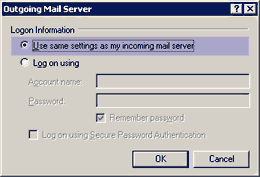 |
 |
» Select tab Advanced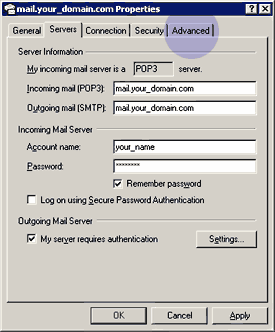 |
 |
» Enter Outgoing mail (SMTP) as 2525 » Select OK 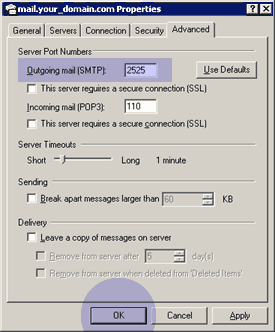 You're Done! « Go back to Outlook Setup. « Go back to help. |
|
© 1999-2024 Emphasys Technologies, Inc. |
|